
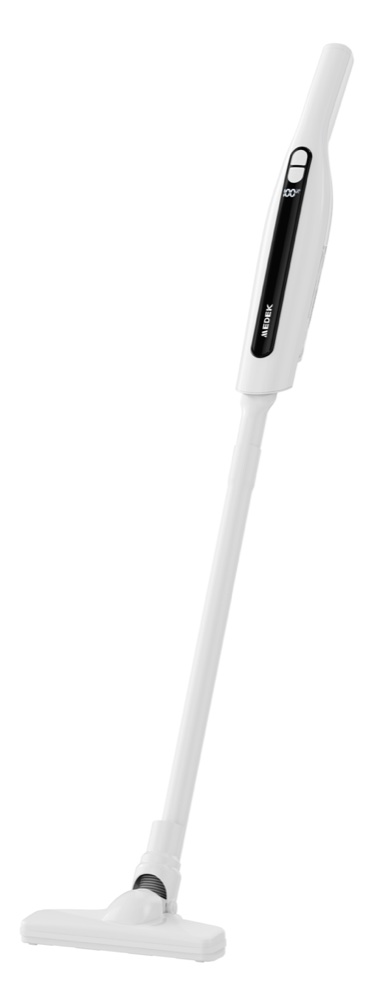
Cordless Stick Vacuum 2-in-1 Home and Car White
User manual — Cordless Stick Vacuum 2-in-1 Home and Car White (reference MD2308BC, barcode 3700902210299), available for download in French, English and Dutch. You'll also find its technical specifications, a video and 9 frequently asked questions here.
- Model
- MDAB1126BCSKU MD2308BC
- Barcode (EAN)
- 3700902210299
User manual
- Manual for MDAB1126BCFrançaisPDF · 7 pp. · 0.3 MoDownload →
- Manual for MDAB1126BCEnglishPDF · 7 pp. · 0.4 MoDownload →
- Manual for MDAB1126BCNederlandsPDF · 7 pp. · 0.4 MoDownload →
Specifications
Power supply
- Power
- 120 W
- Battery
- 2 Ah
Capacity & size
- Tank capacity
- 200 ml
- Dimensions
- 452 × 75 × 77 mm
Tutorials & troubleshooting
Frequently Asked Questions
The screen shows FU and suction has dropped, what should I do?+
The FU code indicates that the suction port is blocked, the dust container is full, or the HEPA filter is clogged. Empty the container, clear the suction port and clean the filter, then restart the appliance.
The screen shows E4, the brush has stopped turning, why?+
E4 corresponds to the protection against the electric brush jamming. Remove the object causing the jam, such as hair or trapped debris, then restart the appliance.
What do the E6, E7 and E8 codes mean during charging?+
E6 indicates a charger voltage error, E7 a charging current protection and E8 a zero charging current. In all three cases, check that the adapter used is indeed the specified 5 V one: another adapter will damage the appliance.
The screen shows BH, what should I do?+
BH indicates that the battery temperature is too high during discharge. Do not use the appliance until the battery temperature has come back down.
How do I clean the filters on my stick vacuum?+
Remove the dust container from the body by pressing its release button, then take out the HEPA filter and the metal filter. Wash the metal filter, the HEPA filter and the container directly with water. Dry them thoroughly before refitting them and using the appliance again.
How do I empty the dust container?+
For a quick emptying, hold the appliance upside down and press the empty button: the container cover opens automatically, then close it again once emptied. For a thorough cleaning, first remove the container from the appliance and pour the dust into the bin through the other side of the container.
How long does the appliance take to charge?+
The vacuum cleaner is delivered partially charged for transport safety reasons: charge it for more than 4 hours before first use, to help preserve battery life. Only use a 5V/2A adapter; any other adapter would damage the appliance.
Can I replace the vacuum cleaner's battery?+
No: this appliance contains batteries that cannot be replaced. Remove the plug from the socket before any cleaning or maintenance, and only power the appliance at the extra-low safety voltage indicated on its rating label.
Where and how do I charge my stick vacuum cleaner?+
Set up the charging base, plug the adapter into the base and then into the mains, and place the vacuum cleaner on its charging mat. Use only a 5 V / 2 A adapter. If nothing appears on the display, or if code E6 appears when you plug it in, check that the adapter really does deliver 5 V.